Software Design
Cleversort
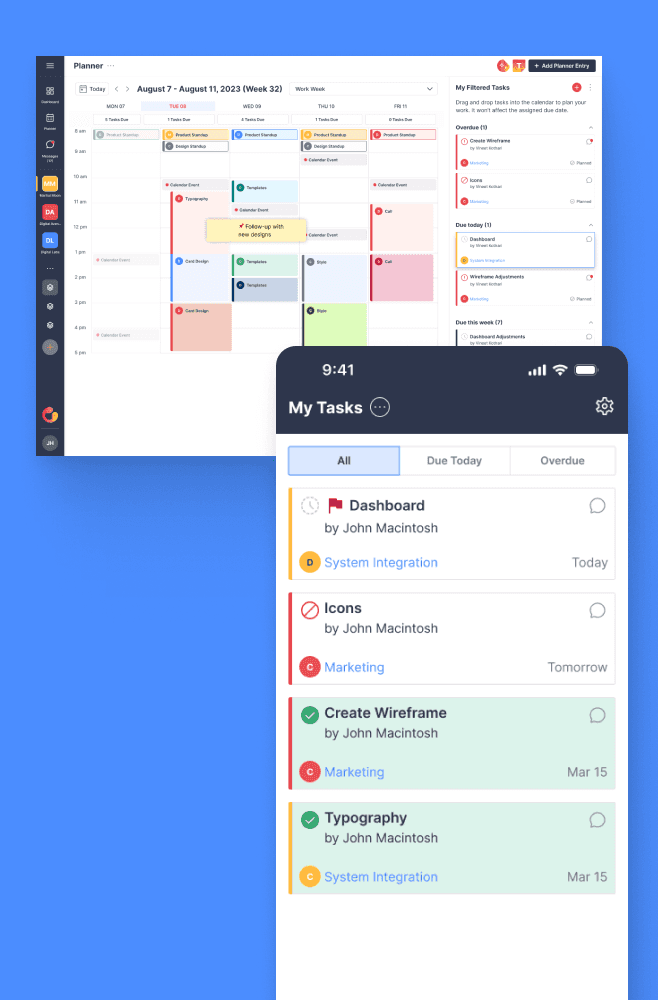
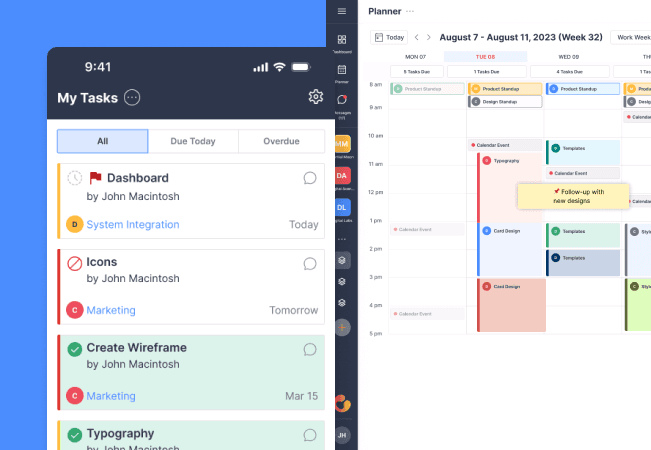
Seeing the complexity and frustration users face with traditional task management tools, the Cleversort team saw an opportunity to create something more intuitive. We aimed to build a platform that not only streamlines workflows but also enhances productivity through smart design. I worked on the UI & UX design for Cleversort, making sure both the desktop and mobile versions were easy to use and looked great. This approach made sure everything was smooth and consistent, improving how users manage their tasks and collaborate.
Figma
ReactJS
Discovery
To start, we created detailed user personas to guide my understanding of the target audience. We defined critical discovery questions to ensure my design decisions were well-informed:
Is there data that backs up the primary pain point? Where from? We collected evidence and statistics to validate the main issues users faced. This involved analyzing user feedback, industry reports, and usage data to support my approach.
What insights do I have regarding the product’s use case? We examined how users interacted with similar tools and identified specific needs and pain points related to task management. This helped us understand the practical requirements and challenges users encountered in their workflows.
Define
Using the personas we developed, we delved into the specific pain points users encountered:
Insight: We discovered that many teams repeat similar tasks and processes across their workflows. This repetitive nature highlighted a need for more streamlined task management.
Need: Users required a centralized and easy-to-use location to track project status and identify potential roadblocks. This centralization would help users manage their tasks more effectively.
POV Statement: For example, John, who is overseeing a client website redesign, needs a way to monitor progress across various components like copywriting, images, UI design, development, and testing. This involves tracking multiple roles and tasks in one place.
HMW (How Might We): How might we design a solution that allows John to visualize project status across different roles and tasks at a glance?
UI & Design
Here’s the fun part you’re waiting for. In designing Cleversort’s task management features, we faced a complex set of interactions. There were numerous steps involved, from task creation to managing project details, each requiring careful consideration. The old design of Cleversort struggled with outdated interfaces and complex navigation.
To address these issues, we conducted extensive research and multiple iterations, exploring industry best practices to develop the new wireframes. Cleversort’s old UI:
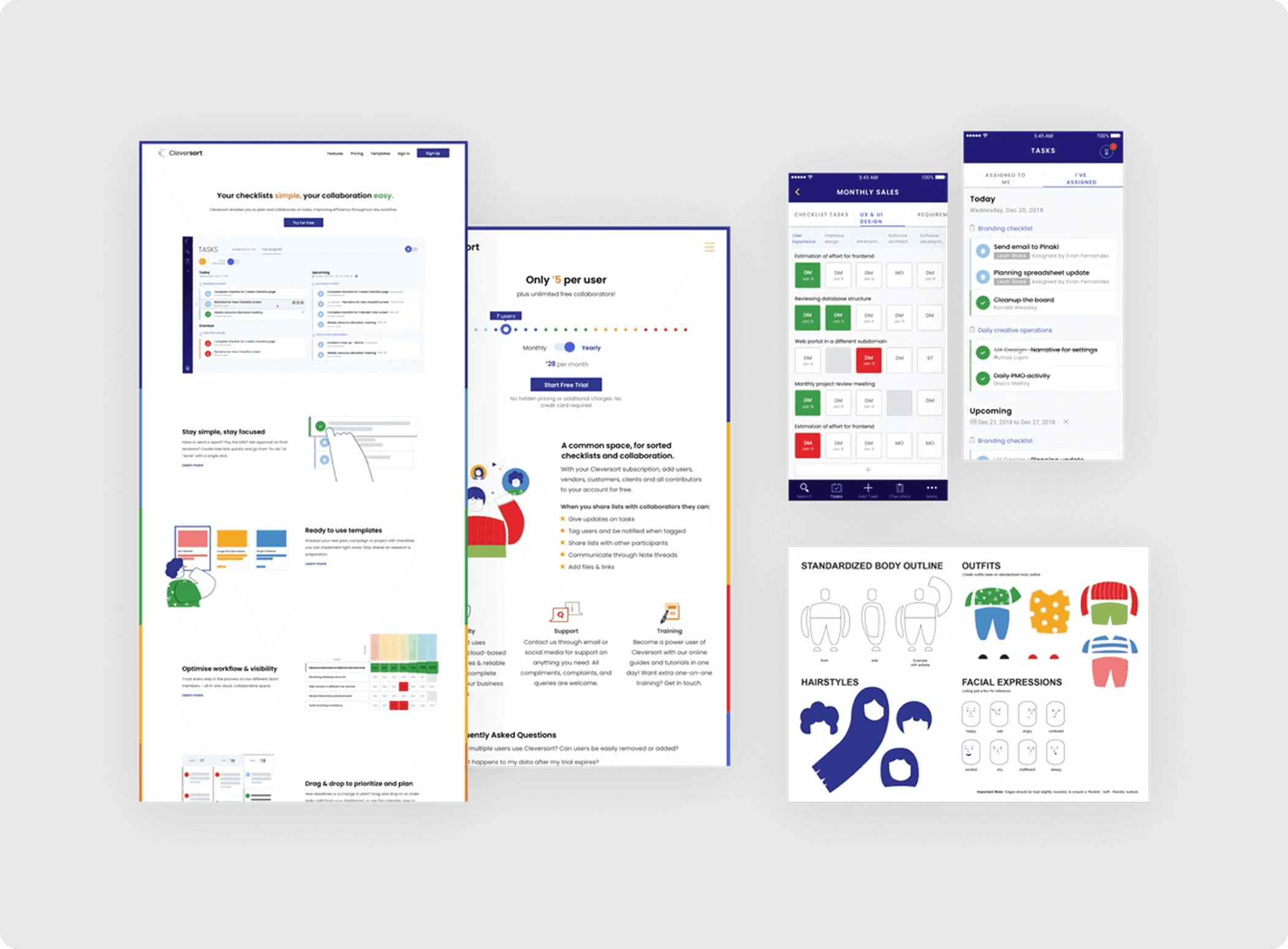
One of the primary aspects of the UI was its simplicity. We needed to create an interface that was both unique and user-friendly, with strategic use of the brand’s colours to establish hierarchy throughout the application. Here are some few finalized screens before we delivered them for development:

Results
Cleversort was successfully launched with an intuitive interface that significantly improved task management. Users reported a 30% increase in productivity and a 25% reduction in project completion times.